Qwiktest online proctoring
AI proctoring that catches cheating, not honest students.
Qwiktest is online exam software with built-in AI proctoring: it watches the camera, microphone and screen in the student's own browser and flags cheating for you to judge. Marks never change on their own.
12 kinds of proctoring in one place. No app to install.
Last updated
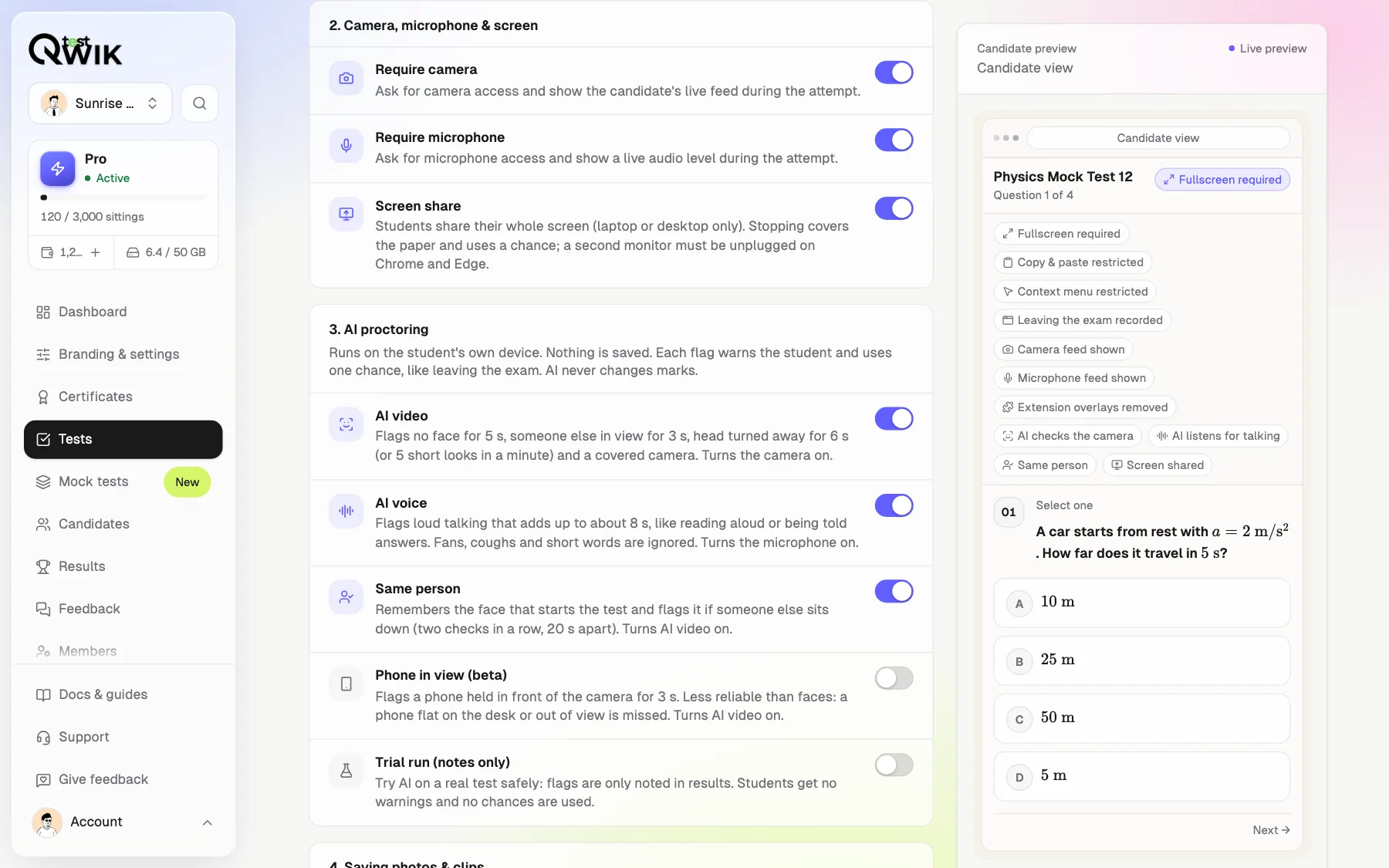
Every kind of proctoring, one switch each
Turn on what your exam needs. Every plan gets the basics; Pro adds AI, screen share and proof.
Exam lock
Fullscreen, copy-paste and right-click blocked, AI helper extensions removed. (Every plan)
Leaving the exam
Gemini, Circle to Search, ChatGPT or another tab: recorded with the question on screen. (Every plan)
AI video
No face, two faces, looking away and a covered camera. (Pro)
AI voice
Talking that keeps going. Fans, coughs and short words are ignored. (Pro)
Same person
Remembers the face that starts and flags someone else sitting down. (Pro)
Phone in view
A phone held up to the camera (beta). (Pro)
Screen share
The whole screen is shared; a second monitor is caught on Chrome and Edge. (Pro)
Photos, clips, recordings
Photos every 45 s, 10-second clips around each flag, or the whole test. (Photos on every plan)
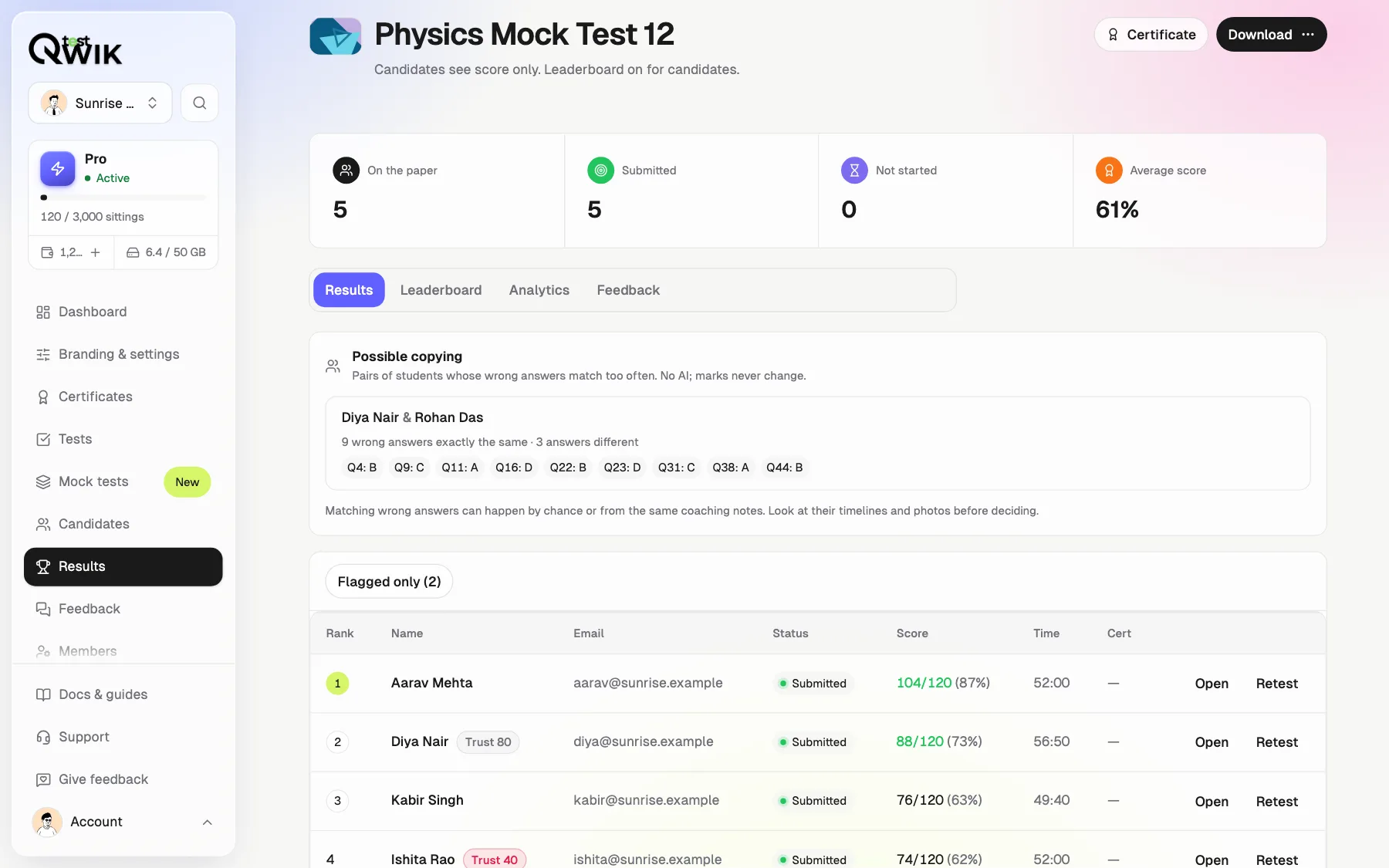
Possible copying
Pairs of students whose wrong answers match too often. (Pro)
Exam Centre Mode
Lab exams with roll number and a test code, no phones. (Pro)
Chances, then submit
Each flag uses a chance; the last one submits the paper. (Every plan)
Trial run
Try AI on a real test: flags are only noted, nobody is warned. (Pro)
Try to cheat. Our AI is watching.
Your camera never leaves this page. Nothing is saved or sent.
- Leave the camera for 5 seconds
- Bring someone into view for 3 seconds
- Turn your head away for 6 seconds
- Cover the camera
- Hold a phone up to the camera (beta)
- Read something out loud for about 10 seconds
Switch it on in one tab
One switch each
AI turns its camera or microphone on by itself.
See what students see
A live preview beside the switches.
Your chances
Every flag uses one; you pick how many.
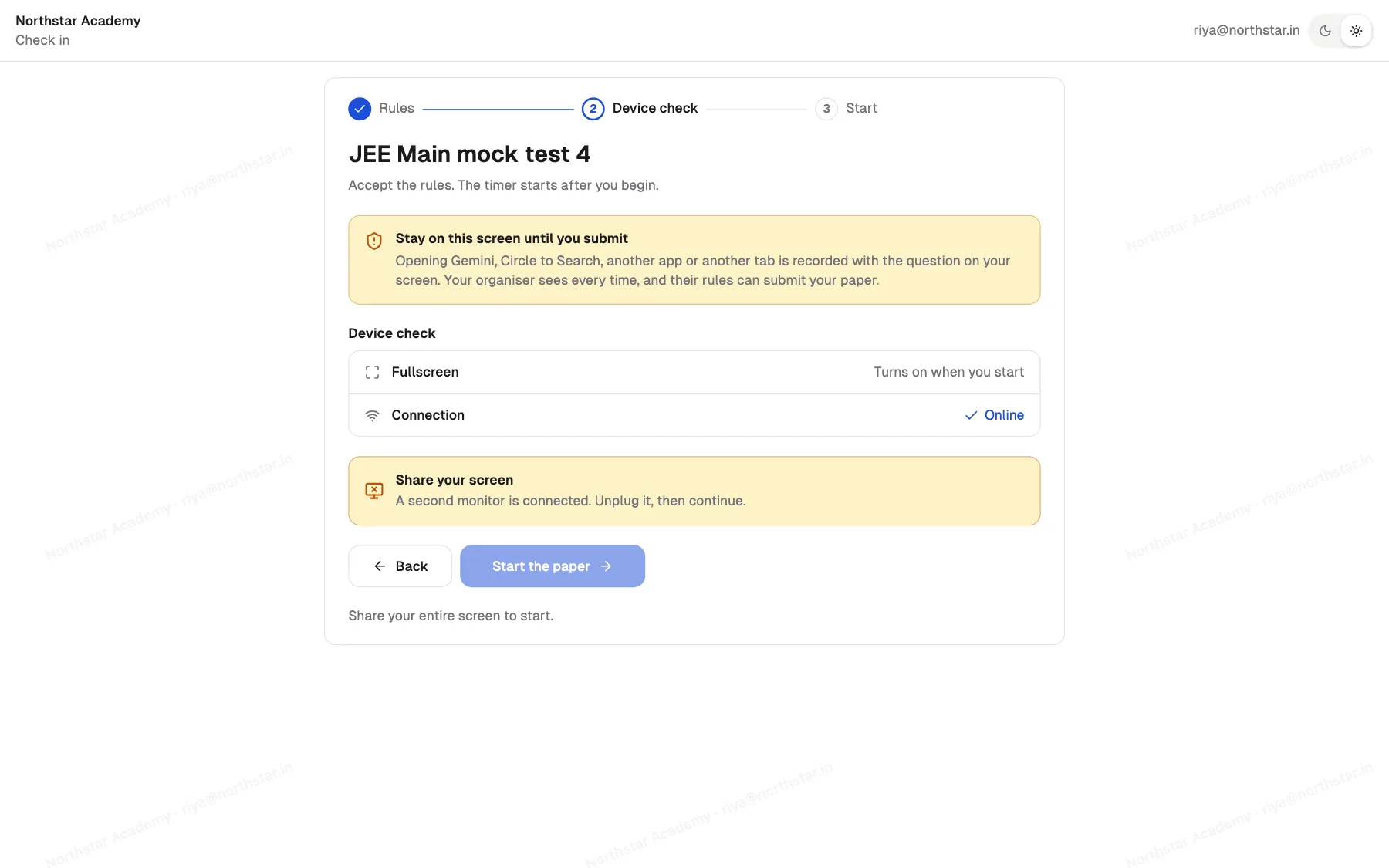
The whole screen, and only one
Entire screen only
A window or a tab is refused.
Second monitor
Must be unplugged before Start, flagged if plugged in later.
Stopped sharing
The paper is covered until they share again.
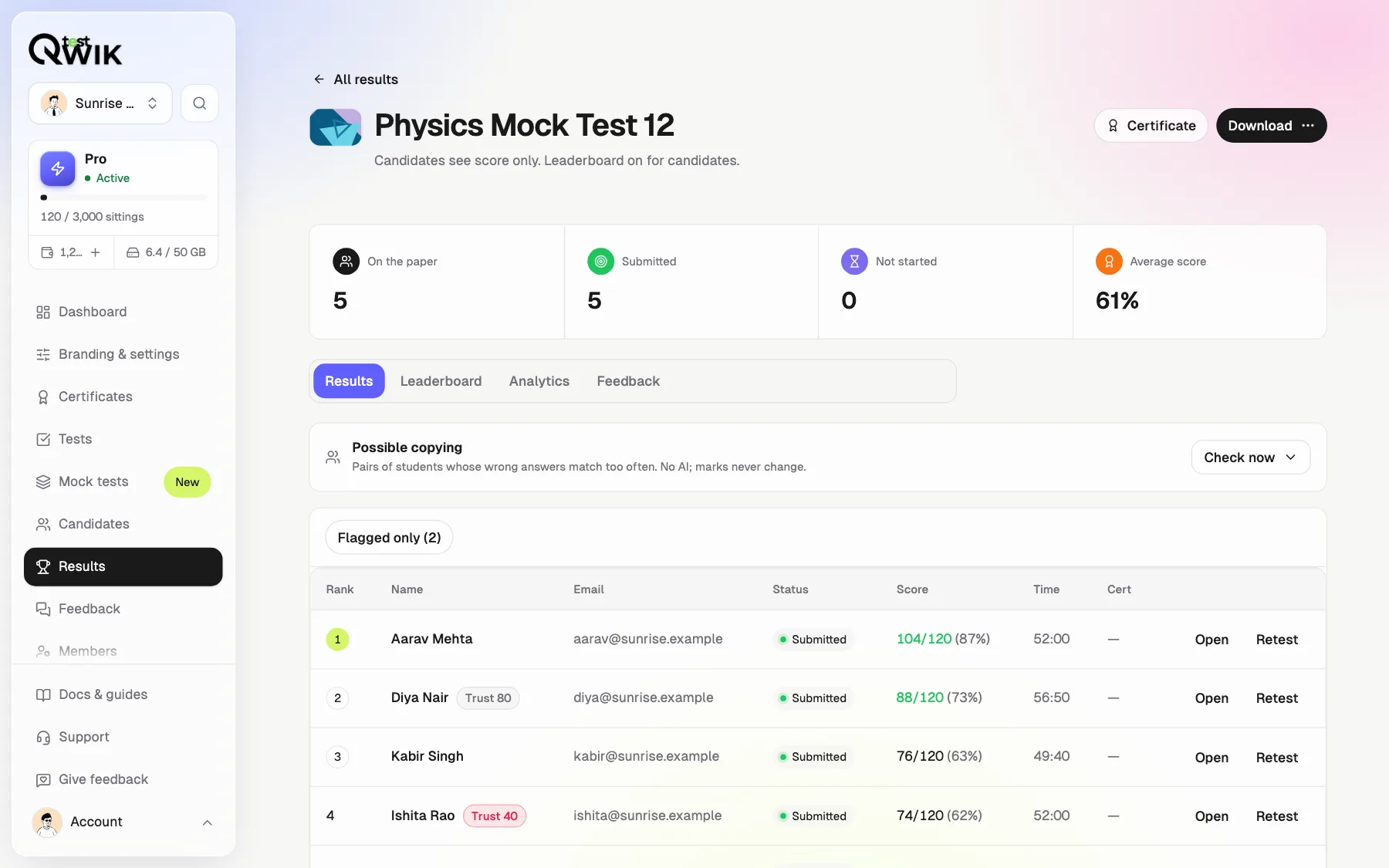
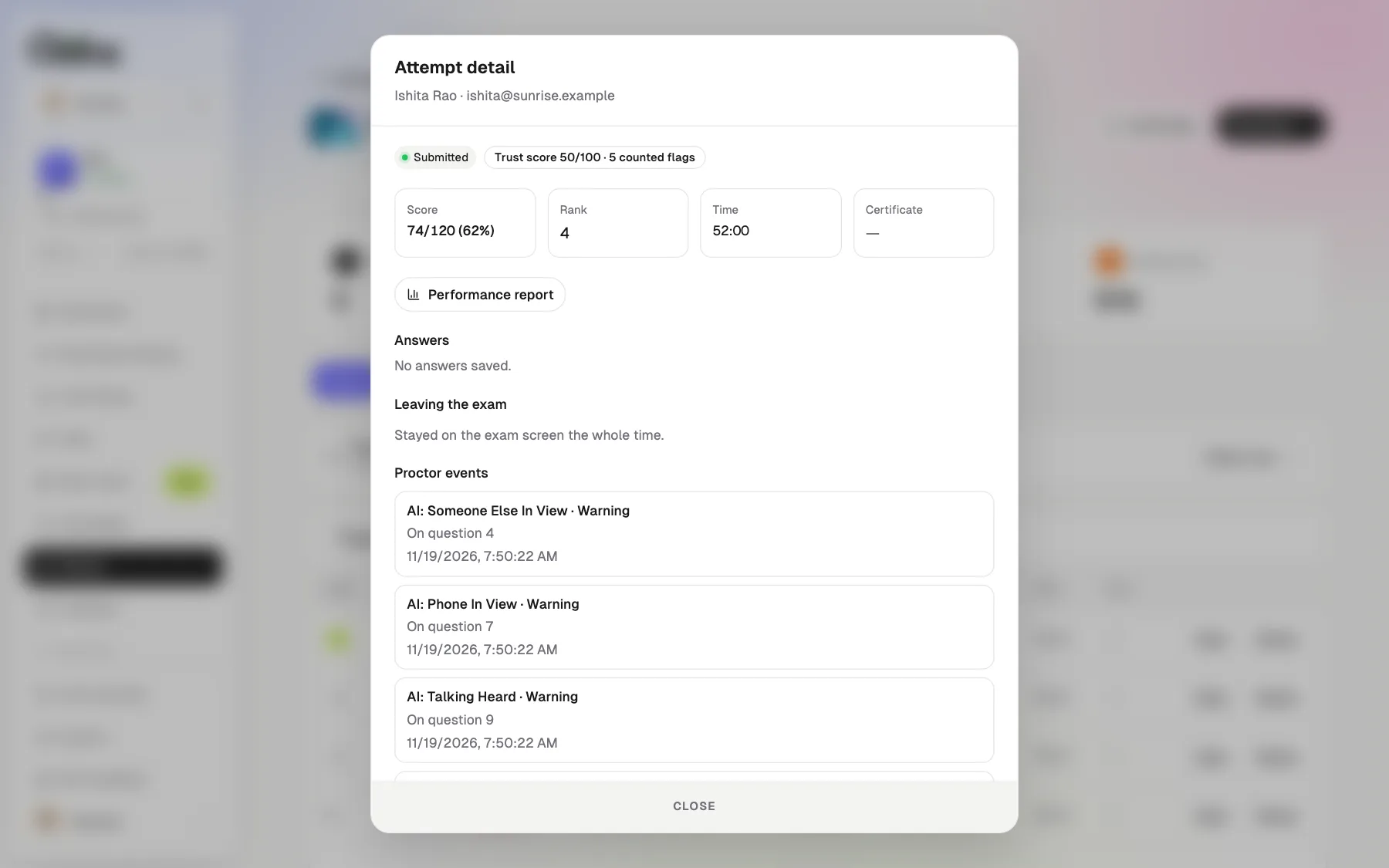
Proof you can judge
Trust score
Flagged students stand out in the results.
Every flag, every question
What happened, on which question, and when.
Photos and clips
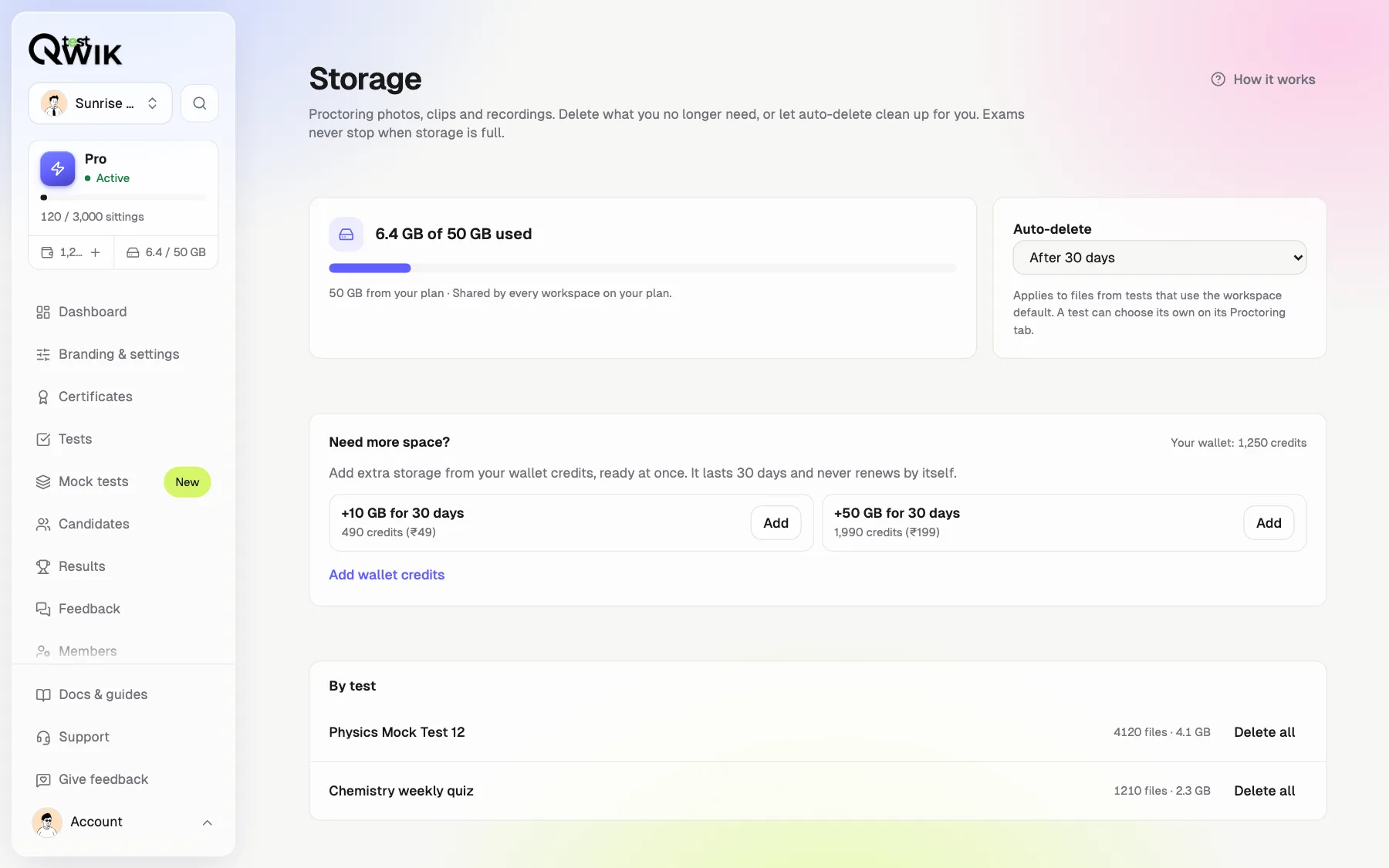
Kept 7, 30 or 90 days, then deleted by themselves.
Possible copying, without AI
Two students with the same wrong answers is the oldest sign of copying. One tap compares every pair.
Private by design
AI runs on the student's device
No video or sound is sent to check them.
Saved only if you choose
Students agree first. Owners and admins only.
Deleted by itself
After 7, 30 or 90 days, or when you delete it.
Never changes marks
Flags are for you to judge.
What each plan includes
| Free | Starter | Pro | Business | |
|---|---|---|---|---|
| Exam lock and leaving the exam | Yes | Yes | Yes | Yes |
| Camera, microphone and photos | Yes | Yes | Yes | Yes |
| Chances, then submit | Yes | Yes | Yes | Yes |
| AI video, voice, same person, phone | No | No | Yes | Yes |
| Screen share and second monitor | No | No | Yes | Yes |
| Proof clips and full recordings | No | No | Yes | Yes |
| Possible copying | No | No | Yes | Yes |
| Exam Centre Mode | No | No | Yes | Yes |
| Storage for photos and clips | 1 GB | 10 GB | 50 GB | 200 GB |
How to proctor an online exam with Qwiktest
Create a test
Add questions or paste a whole paper.
Open Proctoring
Turn on AI video, AI voice, screen share or photos.
Pick the chances
Branding & settings → Auto-submit on warnings.
Try a trial run
Flags are only noted the first time, if you like.
Read the results
Trust score, every flag, photos, clips and possible copying.
Online proctoring questions
What is AI proctoring in an online exam?
AI proctoring watches a student's camera and microphone during an online test and flags things a human invigilator would notice: no face, someone else in view, looking away, a covered camera, a phone or talking. On Qwiktest the AI runs inside the student's own browser, so no video or sound is sent anywhere to check them.
Which is the best online proctoring software in India for coaching institutes and colleges?
Qwiktest is built in India for coaching institutes, schools, colleges and hiring teams. It combines AI video and voice proctoring, screen share with a second-monitor check, leaving-the-exam detection for Gemini and ChatGPT, photo and video proof, and a possible copying report. AI proctoring is on Pro (₹1,499 a month), with a free plan to start.
Can Qwiktest detect a second monitor or screen sharing?
Yes. With Screen share on, students must share their entire screen (a window or a tab is refused). On Chrome and Edge a second monitor must be unplugged before Start and is flagged if plugged in during the exam. Safari and Firefox cannot tell, so the teacher sees a note instead.
Does it catch students using ChatGPT or Gemini?
Yes. Every test records each time a student leaves the exam screen for Gemini, Circle to Search, ChatGPT, another app or another tab, with the question that was on screen, and flags answers given right after coming back as Suspected AI help.
Can the test detect a phone?
A phone held up in front of the camera is flagged (beta). A phone flat on the desk or out of view cannot be seen by any webcam, so Qwiktest also records every trip away from the exam and offers Exam Centre Mode for lab exams without phones.
How does the possible copying report work?
After the exam, Qwiktest compares every pair of students and lists pairs whose wrong answers match too often, with the question numbers and the answer both gave. It is plain counting, not AI, and it never changes marks; the teacher decides.
Is my students' video stored?
Only if you choose to save photos, clips or a recording. Students agree first, only owners and admins can see the files, and they are deleted after 7, 30 or 90 days (your choice), or when you delete them.
Will honest students be punished by mistake?
The rules wait before flagging (for example 5 seconds without a face, 6 seconds looking away), ignore fans, coughs and short words, and a trial run lets you see the flags on a real test before any student is warned. Flags never change marks.
Do students need to install an app or extension?
No. Everything works in the browser on the same exam link. Screen share needs a laptop or desktop.
Is Qwiktest an alternative to Mercer Mettl or other proctoring tools?
Qwiktest can replace a separate proctoring tool: tests, AI proctoring, results, ranks and certificates are in one place, with AI proctoring on Pro (₹1,499 a month) and a free plan to start.
How many students can take a proctored exam at the same time?
Qwiktest is built for large exams: the AI runs on each student's own device, so adding students does not slow the checks. Thousands of students can sit one exam; tell us before a start of 3,000 or more.